
Turn off live captioning means disabling automatic real-time subtitles on your phone, browser, apps, or videos so audio plays without on-screen text distractions. It’s a small setting change — but it can dramatically improve focus, privacy, aesthetics, and emotional connection with your content.
If you’ve ever thought:
-
“Why are captions suddenly popping up?”
-
“How do I turn off live captioning on Android / Chrome / YouTube / Instagram?”
-
“My screen looks messy — help!”
-
“I just want clean videos for my romantic or aesthetic posts…”
…you’re in exactly the right place.
Today we’re covering:
✔ What live captioning actually is
✔ How to turn off live captioning on every major platform
✔ Why creators disable it for aesthetic & emotional reasons
✔ Caption psychology (yes, really)
✔ Engagement strategies
✔ Mistakes to avoid
✔ Hashtags
✔ FAQs
✔ AND massive copy-ready caption lists for Instagram, Reels, Stories, and lifestyle posts
Save this for later 💾 — you’ll come back to it.
What Is Live Captioning? (Featured Snippet Definition)
Live captioning is a built-in accessibility feature that automatically converts spoken audio into on-screen text in real time. While incredibly helpful for accessibility, many users choose to turn off live captioning for privacy, cleaner visuals, better immersion, or content creation purposes.
Why People Turn Off Live Captioning (And It’s Not Just Tech)
Let’s be honest — this isn’t only about settings.
It’s about:
✨ Cleaner screens
✨ Better video aesthetics
✨ Emotional immersion
✨ Privacy
✨ Professional content creation
✨ Romantic or cinematic vibes
✨ Fewer distractions
Especially for creators, couples, and lifestyle bloggers, captions popping up can ruin:
-
Proposal videos 💍
-
Anniversary reels ❤️
-
Travel montages ✈️
-
Soft aesthetic edits 🌸
Sometimes… silence really is golden.
Turn Off Live Captioning on Android 📱
-
Open Settings
-
Tap Accessibility
-
Select Live Caption
-
Toggle OFF
Bonus: Turn off “Caption profanity” and “Sound labels” too.
Turn Off Live Captioning on Google Chrome 🌐

-
Type chrome://settings/accessibility
-
Toggle Live Caption OFF
-
Restart Chrome
Clean browsing, restored.
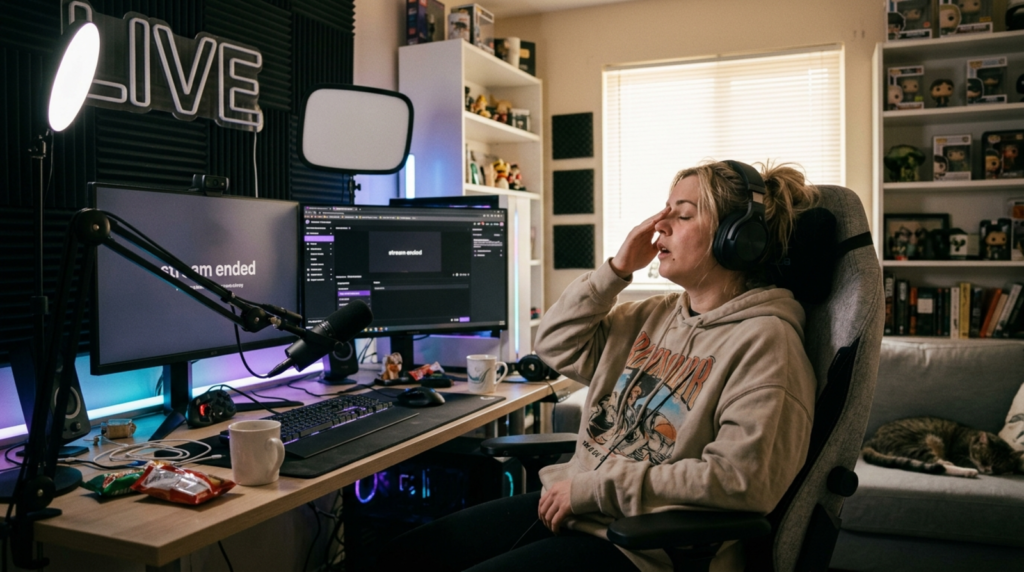
Turn Off Live Captioning on YouTube ▶️
-
While watching a video, tap CC
-
Or go to Settings → Captions → Off
Turn Off Live Captioning on Instagram Reels & Stories 💖
Instagram doesn’t have system-wide live captioning, but:
-
Disable Auto Captions before posting
-
Or remove them manually in the editor
Creators do this constantly for aesthetic feeds.
Turn Off Live Captioning on iPhone (iOS 17+) 🍎
-
Go to Settings
-
Tap Accessibility
-
Select Live Captions
-
Toggle Off
Emotional Psychology Why Silence Feels More Intimate
Here’s something most tech blogs miss.
Text pulls attention.
Sound creates emotion.
When captions appear:
-
Your brain switches to reading mode
-
Emotional processing drops
-
Connection weakens
Creators turn off live captioning because:
❤️ Eye contact matters
❤️ Music hits deeper
❤️ Love feels closer
❤️ Moments feel real
Silence lets your heart listen.
Caption Writing Framework (After You Turn Off Live Captioning)
Use this formula:
Emotion + Context + Relatability + CTA
Example:
“Soft music, warm coffee, and you… life feels right ☕❤️ Save this moment.”
Massive Copy-Ready Caption Library (Save This 💾)
Below are curated captions creators use after they turn off live captioning for clean visuals.
Cute Captions 🥰
-
You feel like home 🏡❤️
-
Just us, always 💕
-
Smiling because of you 😊
-
My favorite notification 📱❤️
-
Love looks good on us 😘
-
Heart full, soul calm ✨
-
You + me = magic 💫
-
Soft days, sweet nights 🌙
-
Forever kinda vibe 💍
-
Chosen every day 🥹
-
Cozy hearts only 🧸
-
You’re my safe place 🫶
-
Love in little moments 💖
-
Still crushing on you 😍
-
Sweet things stay ❤️
-
My person, always 🥹
-
Tiny joys, big love ✨
-
Wrapped in your energy 💕
-
Smiles feel different with you 😊
-
My favorite story 📖
Romantic Deep Captions ❤️
-
Loving you feels effortless
-
You changed how I see forever
-
My heart speaks your language
-
With you, I’m home
-
Every version of me loves you
-
You’re my answered prayer
-
Two souls, one rhythm
-
I choose you — daily
-
Love lives here
-
You make ordinary sacred
-
My heart knows yours
-
This is what peace feels like
-
Loving you is my favorite habit
-
We grew together
-
You feel like destiny
-
Our story matters
-
I’d find you in every lifetime
-
You softened my edges
-
My calm in chaos
-
Always you
Funny Captions 😂
-
Emotional support human
-
Love but also snacks
-
Dating my best friend
-
We cute or whatever
-
Still annoying each other
-
Main character energy
-
Built different together
-
Certified lovers
-
Chaos but cute
-
Romance with sarcasm
-
Proof I leave the house
-
Smiling for the algorithm
-
Relationship status: snacks
-
Love + WiFi
-
Cute but tired
-
This wasn’t planned
-
Vibes only
-
Emotional damage (but cute)
-
We tried
-
Married to the vibe
One-Word Captions ✨
-
Forever
-
Us
-
Home
-
Always
-
Soulmate
-
Love
-
Together
-
Peace
-
Chosen
-
Safe
-
Energy
-
Mine
-
Yours
-
Connected
-
Devoted
-
Soft
-
Real
-
Deep
-
Magic
-
Ours
Anniversary / Engagement / Wedding Captions 💍
-
Still choosing you
-
Another year, same love
-
Engaged to my best friend
-
Forever starts now
-
Love wins again
-
Married my soulmate
-
Growing together
-
Built on love
-
My yes forever
-
Anniversary feels
-
Promised hearts
-
Together looks good
-
You’re my always
-
From this day forward
-
We said yes
-
Love in motion
-
One year stronger
-
Hand in hand
-
My forever date
-
Cheers to us
Platform-Specific Captions After You Turn Off Live Captioning
Instagram Reels 🎥
-
Soft moments only ✨
-
POV: you’re loved
-
This feels right
-
Save this energy
-
Main character season
Stories 📸
-
Feeling grateful
-
Love lives here
-
Small joys matter
-
Today was sweet
-
Heart full
TikTok 💃
-
Real vibes only
-
No captions, just feels
-
Soft life activated
-
Watch till the end
-
Emotional damage (cute edition)
Engagement Strategy (Creator Secrets)
After you turn off live captioning:
✔ Add music instead
✔ Use emotional captions
✔ Pin your best comment
✔ Ask one simple question
✔ Encourage saves
CTAs that work:
-
Tag your person ❤️
-
Save this for later 💾
-
Comment your anniversary 📅
-
Share with someone special
Common Mistakes to Avoid 🚫
❌ Forgetting captions entirely
❌ Overusing emojis
❌ Writing walls of text
❌ No CTA
❌ Ignoring accessibility completely (offer manual captions when needed)
Balance aesthetics with inclusivity.
Hashtags That Actually Perform
Use 5–10 per post:
#turnofflivecaptioning
#relationshipgoals
#couplecontent
#softlove
#instagramcaptions
#reelscaptions
#emotionalconnection
#forevervibes
#contentcreatorlife
#loveenergy
FAQs (Optimized for AI Overview)
1. What does turn off live captioning mean?
It means disabling automatic real-time subtitles on your device or apps.
Why are live captions turning on automatically?
System updates or accessibility defaults often enable them.
How do I turn off live captioning on Android?
Settings → Accessibility → Live Caption → Toggle Off.
Can I turn off live captions on Instagram?
Yes — disable auto captions before posting or remove them manually.
Does turning off live captioning affect sound?
No. Audio continues normally.
Is live captioning the same as subtitles?
No. Live captions are automatic and real-time.
Why do creators turn off live captioning?
For aesthetics, emotional impact, and clean visuals.
Can I turn it back on later?
Absolutely. It’s reversible anytime.
Does turning it off save battery?
Yes — slightly, since real-time processing stops.
Is live captioning private?
Audio is processed locally on most devices, but many still disable it for comfort.
Final Thoughts ❤️
Learning how to turn off live captioning isn’t just a technical tweak.
It’s about reclaiming your screen.
Your moments.
Your emotions.
Whether you’re creating romantic Reels, celebrating an anniversary, or simply wanting cleaner visuals — turning off live captioning gives your content room to breathe.
So go ahead:
✨ Turn it off
✨ Feel the moment
✨ Post with intention
✨ Love louder than words
Tag your partner ❤️
Save this guide 💾
And share it with someone who needs softer screens and deeper connection.
Elara Quinn writes with elegance and creativity, bringing fresh ideas and heartfelt expressions to life. Her content is known for its depth, simplicity, and emotional impact.