
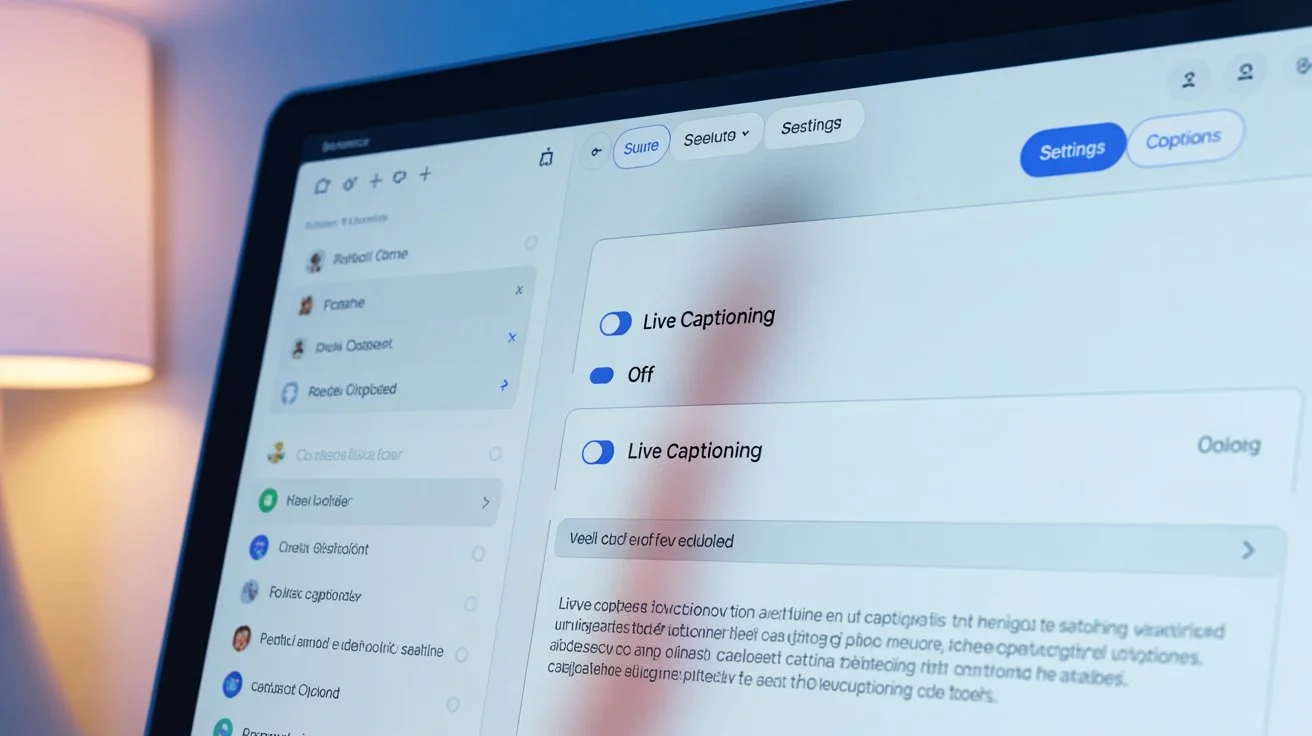
Live captioning is a helpful accessibility feature that transcribes spoken words into text in real-time on your device. Whether you’re on a video call, watching Instagram stories, or scrolling TikTok, captions can enhance understanding. But sometimes, the captions are overwhelming, distracting, or just unnecessary. If you’re asking, “how to turn off live captioning,” you’ve come to the right place. In this ultimate guide, we’ll cover every platform, device, and method, plus tips, tricks, emotional insights, and engagement strategies to help you reclaim your screen experience. 💻📱✨
What Is Live Captioning? 🔍
Live captioning automatically generates text for audio in real-time. It’s designed to improve accessibility for the hearing impaired and enhance comprehension in noisy environments. While incredibly useful, not everyone wants captions on all the time. Understanding how to turn off live captioning gives you control over your viewing experience and digital interactions.
Why it matters:
-
Reduces screen clutter
-
Improves focus
-
Helps with privacy in public spaces
How to Turn Off Live Captioning on Android Devices 🤳
Android phones come with built-in live caption features that are activated by default on some devices.
Steps to disable:
-
Go to Settings > Accessibility
-
Tap Live Caption
-
Toggle it off
Quick Tips:
-
Shortcut: Press volume up/down > tap the live caption icon
-
Customization: You can adjust caption style, font, and language
How to Turn Off Live Captioning on iPhone & iPad 🍎
Apple’s devices offer captions via Accessibility > Subtitles & Captioning.
Steps:
-
Open Settings > Accessibility
-
Tap Subtitles & Captioning
-
Turn off Closed Captions + SDH
Pro Tip: Some apps like YouTube or Netflix have in-app caption controls that override system settings.
How to Turn Off Live Captioning on YouTube 🎥
YouTube captions can be automatic or manually added.
Steps:
-
Tap the CC icon in the player
-
Choose Off
Fun Tip: You can also adjust caption font, size, and color in Settings > Captions.
How to Turn Off Live Captioning on Facebook & Instagram 📱
Social media platforms often auto-generate captions for stories and reels.
Instagram Reels:
-
Open Reel > three dots > Turn off captions
-
Toggle Captions off
Facebook Videos:
-
Click Settings > Subtitles & Captions > Off
Pro Tip: Saving your preference prevents repeated toggling.
How to Turn Off Live Captioning on Zoom & Video Calls 💻
Zoom, Teams, and Google Meet have real-time transcription features.
Zoom:
-
During a meeting: Click CC > Hide Subtitle
-
Admins can disable auto-transcription in settings
Google Meet:
-
Click Turn off captions at the bottom
Microsoft Teams:
-
Click More > Turn off live captions
How to Turn Off Live Captioning in Netflix & Streaming Apps 🍿
Streaming apps like Netflix, Hulu, and Disney+ auto-generate captions.
Netflix:
-
Click Audio & Subtitles
-
Select Off
Disney+:
-
During playback: Click the speech bubble icon > Off
Tip: Set default subtitle preference in account settings for seamless viewing.
Short Captions About Screen Freedom ⏹️
Sometimes, you just want life caption-free. Here are 20 short, flirty captions to express your love for screen clarity:
-
Silence is golden ✨
-
No captions, no chaos 💃
-
Eyes only, lips only 😘
-
Quiet screen, happy me 😎
-
Off the text, on the vibes 🎶
-
Captions paused, heart playing ❤️
-
Just me and the moment 🌸
-
Less text, more love 💕
-
No subtitles, just smiles 😏
-
Screen peace achieved 🕊️
-
Text-free zone 🛑
-
Eye contact > captions 👀
-
Living caption-free 🎉
-
Focus on the feels 💌
-
Off captions, on magic ✨
-
Digital detox mode 💻
-
Silence speaks volumes 🤫
-
Audio-only romance 🎧
-
Less typing, more feeling 💞
-
Free the screen, free the soul 🦋
Cute Captions About Turning Off Captions 😻
For Instagram stories, reels, or TikTok:
-
Caption-free cutie 😇
-
Eyes on me, not the text 👁️
-
Quiet screens, loud hearts 💖
-
Less words, more giggles 😘
-
Silent vibes only 🌺
-
Off captions, on smiles 🌸
-
Emoji > Words 😍
-
Happiness in pixels 💫
-
Whispered moments, no text 💌
-
Pause captions, play love ❤️
Funny Captions About Caption Freedom 😂
Laughter and relatability are key to engagement:
-
I turn captions off for my sanity 🤪
-
Sorry captions, not today 😎
-
Less CC, more tea 🍵
-
Auto-captions? I don’t think so 😏
-
My brain can read lips faster 🧠💋
-
Turn off, tune in 😜
-
Captions crashing my vibe 🚫
-
Me: off captions. Me 2 mins later: bliss 😌
-
Silent mode = hero mode 🦸♀️
-
CC-free & carefree ✨
Seasonal Captions About Digital Freedom 🌸❄️☀️🍂
Spring: Bloom without text 🌷
Summer: Off captions, on sunshine ☀️
Fall: Leaves falling, captions off 🍁
Winter: Cozy, silent screens ❄️
Festivals: Caption-free party vibes 🎉
Valentine’s: Quiet screen, loud love ❤️
Halloween: No captions, just scares 🎃
Christmas: Silence is the new jingles 🎄
One-Word Captions to Express Simplicity 💫
-
Free
-
Bliss
-
Silence
-
Focus
-
Peace
-
Quiet
-
Serenity
-
Calm
-
Zen
-
Vibes
-
Glow
-
Smile
-
Escape
-
Flow
-
Relax
-
Magic
-
Spark
-
Love
-
Pause
-
Dream
Platform-Specific Tips to Turn Off Captions 🌐
YouTube Shorts: Tap CC icon
TikTok: Caption toggle in video editor
Snapchat Stories: Turn off sticker captions
Instagram Reels: Tap settings > captions off
Pro Insight: Each platform updates features often—check accessibility settings regularly.
How Live Captions Affect Emotional Connection ❤️
Studies show captions can enhance understanding but also distract from emotional cues like tone, facial expressions, and intimacy. Turning off live captions can:
-
Deepen visual connection
-
Increase attention on body language
-
Encourage authentic emotional experiences
Psychology Tip: Silence your captions to focus on nonverbal cues with loved ones—great for date nights and video calls with your soulmate. 💌
Caption-Writing Framework for Relatable Posts ✍️
-
Hook: Start with emotion or curiosity
-
Story: Share relatable experience
-
CTA: Encourage engagement (like “Tag your partner ❤️”)
-
Emoji: Sprinkle emojis for warmth
-
Length: Short and digestible works best
Example:
“Screens are quiet, hearts are loud 💖… Tag your soulmate and enjoy the moment ✨”
Engagement Strategy Insights 📈
-
Use hashtags strategically: #CaptionFree, #DigitalDetox, #SilentScreens
-
Post during peak engagement hours
-
Encourage tagging, sharing, and saving
-
Mix short and long captions for variety
Mistakes to Avoid ❌
-
Leaving captions on by default
-
Ignoring app-specific caption settings
-
Overloading posts with emojis
-
Posting without emotional resonance
-
Ignoring platform updates on captions
Relevant Hashtags to Boost Reach 🔥
#HowToTurnOffLiveCaptioning #CaptionFree #DigitalPeace #ScreenSilence #AccessibilityTips #TechHacks #LifeWithoutCC #SilentScreens #EmojiVibes #EmotionalConnection #EngagementTips
FAQ Section: How to Turn Off Live Captioning 📝
1. What is live captioning?
Live captioning transcribes audio into text in real-time for accessibility.
2. Why should I turn it off?
To reduce distractions, improve focus, and enhance emotional engagement.
3. How to turn off live captions on Android?
Settings > Accessibility > Live Caption > Toggle off.
4. How to turn off live captions on iPhone?
Settings > Accessibility > Subtitles & Captioning > Off.
5. Can I turn off captions on YouTube?
Yes, tap the CC icon in the player and select “Off.”
6. Will turning off captions affect accessibility?
Yes, but users who rely on captions should leave them on for inclusivity.
7. Are captions different on social media apps?
Yes, each app has its own toggle—Instagram, Facebook, TikTok, and Snapchat.
8. Can I customize caption style instead of turning off?
Yes, font, size, and color can often be adjusted in settings.
9. Does turning off captions improve emotional connection?
Yes, it encourages focus on facial expressions and nonverbal cues.
10. Can I set default caption preferences?
Yes, most apps and devices allow you to save your preferences.
11. Are captions always accurate?
No, auto-generated captions may have errors, making turning them off sometimes preferable.
12. Do streaming services allow turning off captions?
Yes, Netflix, Disney+, Hulu, and others have subtitle toggles.
Conclusion: Own Your Screen Experience ✨
Turning off live captioning isn’t just a tech tweak—it’s a small act of reclaiming focus, emotional connection, and digital peace. Whether it’s for work, romance, or casual scrolling, understanding how to turn off live captioning empowers you to enjoy content on your terms. 💖
Next time you’re on a video call or watching your favorite reel, take a deep breath, toggle off captions, and embrace the silence. Your eyes, your heart, and your attention will thank you. 🌸
Action Tip: Share this guide with friends who love quiet screens, tag your partner ❤️, and save for your next digital detox.

Brixton Cole is dedicated to crafting meaningful and impactful content. His writing reflects clarity, creativity, and a strong connection with readers.