
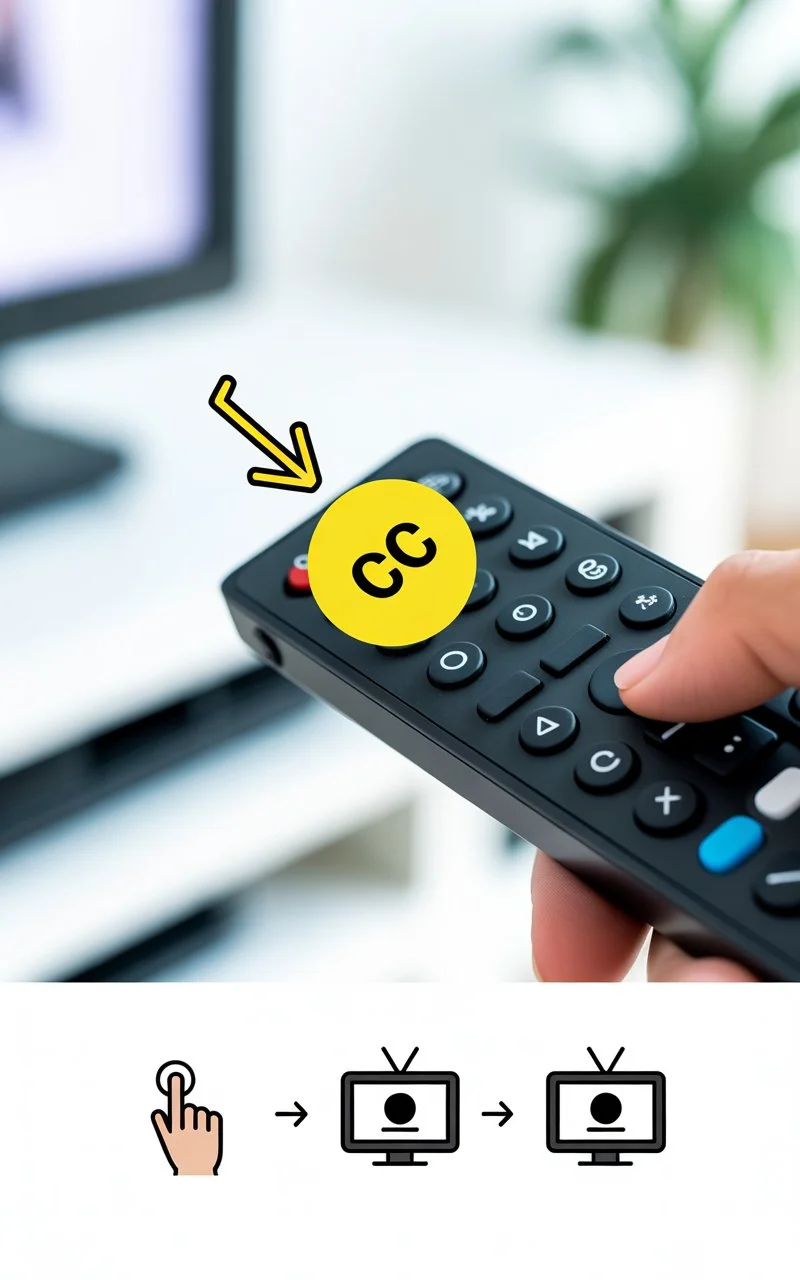
If you’re wondering how to turn off closed caption on Roku, the quickest way is to go to Settings → Accessibility → Captions → Off. Closed captions can sometimes turn on by accident, and Roku makes it easy (and fast) to disable them once you know where to look.
In this complete guide, I’ll walk you through every method to remove captions on Roku TVs, Roku streaming sticks, and popular apps like Netflix, Hulu, and Disney+. Save this for later 💾✨
Why Are Closed Captions Suddenly On Roku?
Closed captions often turn on because of:
-
Accidental remote button presses
-
App-specific subtitle settings
-
Roku accessibility settings
-
Updates resetting preferences
Don’t worry — it’s super common.
Turn Off Closed Caption on Roku Using Settings (Main Method)
This is the most reliable fix.
Steps:
-
Press Home on your Roku remote
-
Scroll to Settings
-
Select Accessibility
-
Choose Captions mode
-
Set it to Off
Boom 💕 captions gone.
Turn Off Closed Caption on Roku While Watching a Show
Sometimes you want captions off right now.
Quick method:
-
While a video is playing, press the Star (✱) button
-
Select Accessibility
-
Go to Captions
-
Switch to Off
So easy, right? 😌
How to Turn Off Closed Caption on Roku TV (All Brands)
If you’re using a Roku TV (TCL, Hisense, Sharp, etc.):
-
Press Home
-
Go to Settings
-
Select Accessibility
-
Click Captions mode
-
Choose Off
Works across all Roku TV models.
Turn Off Subtitles on Roku for Netflix
Netflix has its own subtitle controls.
Steps:
-
Open Netflix
-
Play a show
-
Press Up on the remote
-
Select Audio & Subtitles
-
Choose Off
Netflix loves to remember subtitle settings, so double-check here.
Turn Off Closed Caption on Roku for Hulu
Hulu captions are controlled inside the app.
-
Open Hulu
-
Play something
-
Press Up
-
Select Settings (gear icon)
-
Toggle Captions → Off
Turn Off Captions on Roku for Disney+
Disney+ makes it simple:
-
Start a video
-
Press Up
-
Select the subtitle icon
-
Choose Off
Turn Off Closed Caption on Roku for Amazon Prime Video
-
Play a movie
-
Press Up
-
Select Subtitles
-
Set to Off
Prime Video subtitles can be sneaky sometimes.
Turn Off Captions on Roku YouTube App
YouTube captions are separate too.
-
Open YouTube
-
Play a video
-
Press Down
-
Go to CC icon
-
Turn captions Off
Closed Captions Won’t Turn Off on Roku? Try This Fix
If captions keep coming back:
1. Restart Roku
-
Settings → System → Power → System Restart
2. Check App Subtitle Settings
Netflix/Hulu/Disney+ override Roku settings.
3. Update Roku Software
-
Settings → System → System Update → Check Now
4. Remove and Reinstall the App
Sometimes apps glitch.
How to Disable Captions Permanently on Roku
To make sure captions stay off:
-
Settings
-
Accessibility
-
Captions mode → Off
-
Captions preferred language → None
This reduces auto-caption triggers.
Roku Remote Shortcut for Captions
Roku doesn’t have a dedicated CC button, but:
⭐ Star button (✱) is your best friend.
Use it anytime for quick caption toggling.
Accessibility vs Subtitles: What’s the Difference?
-
Closed Captions = accessibility feature (includes sound cues)
-
Subtitles = just dialogue text
Apps often treat these separately.
Best Roku Caption Settings (If You Want Them Later)
If you ever want captions back, customize them:
-
Text size
-
Font
-
Color
-
Background opacity
Path:
Settings → Accessibility → Caption style
Common Reasons Roku Captions Keep Turning On
-
Someone else in the house enabled them
-
App profile settings saved subtitles
-
Roku update reset preferences
-
Accessibility shortcut triggered
You’re not alone 💕
Turn Off Closed Caption on Roku Without Remote
Lost your remote? No stress.
Use Roku Mobile App:
-
Download Roku App
-
Connect to same Wi-Fi
-
Use remote feature
-
Go to Settings → Accessibility → Captions Off
Lifesaver ✨
Roku Captions Still On? Factory Reset Option (Last Resort)
Only do this if nothing works.
Settings → System → Advanced system settings → Factory reset
FAQ: Turn Off Closed Caption on Roku (Featured Snippet Ready)
Why won’t captions turn off on Roku?
Because some apps control subtitles separately from Roku settings.
Where is the caption setting on Roku?
Settings → Accessibility → Captions mode → Off.
How do I turn off subtitles on Netflix Roku?
Play a show → Audio & Subtitles → Off.
Can Roku captions be turned off permanently?
Yes, disable them in Accessibility settings and app subtitle menus.
Does the Star button control captions?
Yes, press ✱ during playback for quick caption options.
Why do captions keep coming back?
App preferences, updates, or accidental changes are common causes.
Can I disable captions without a remote?
Yes, use the Roku mobile app remote feature.
Do Roku TVs have different caption settings?
No, Roku TV captions are controlled the same way through Accessibility.
Final Thoughts (Warm Wrap-Up 💕)
Closed captions can be helpful… but when you don’t want them, they can totally ruin the vibe of movie night 😅
Now you know exactly how to turn off closed caption on Roku in seconds — whether you’re watching Netflix, Hulu, Disney+, or just scrolling through settings.
✨ Save this guide for later
❤️ Share it with someone who always turns captions on
💬 Comment if your Roku captions were being extra stubborn!
Elara Quinn writes with elegance and creativity, bringing fresh ideas and heartfelt expressions to life. Her content is known for its depth, simplicity, and emotional impact.